
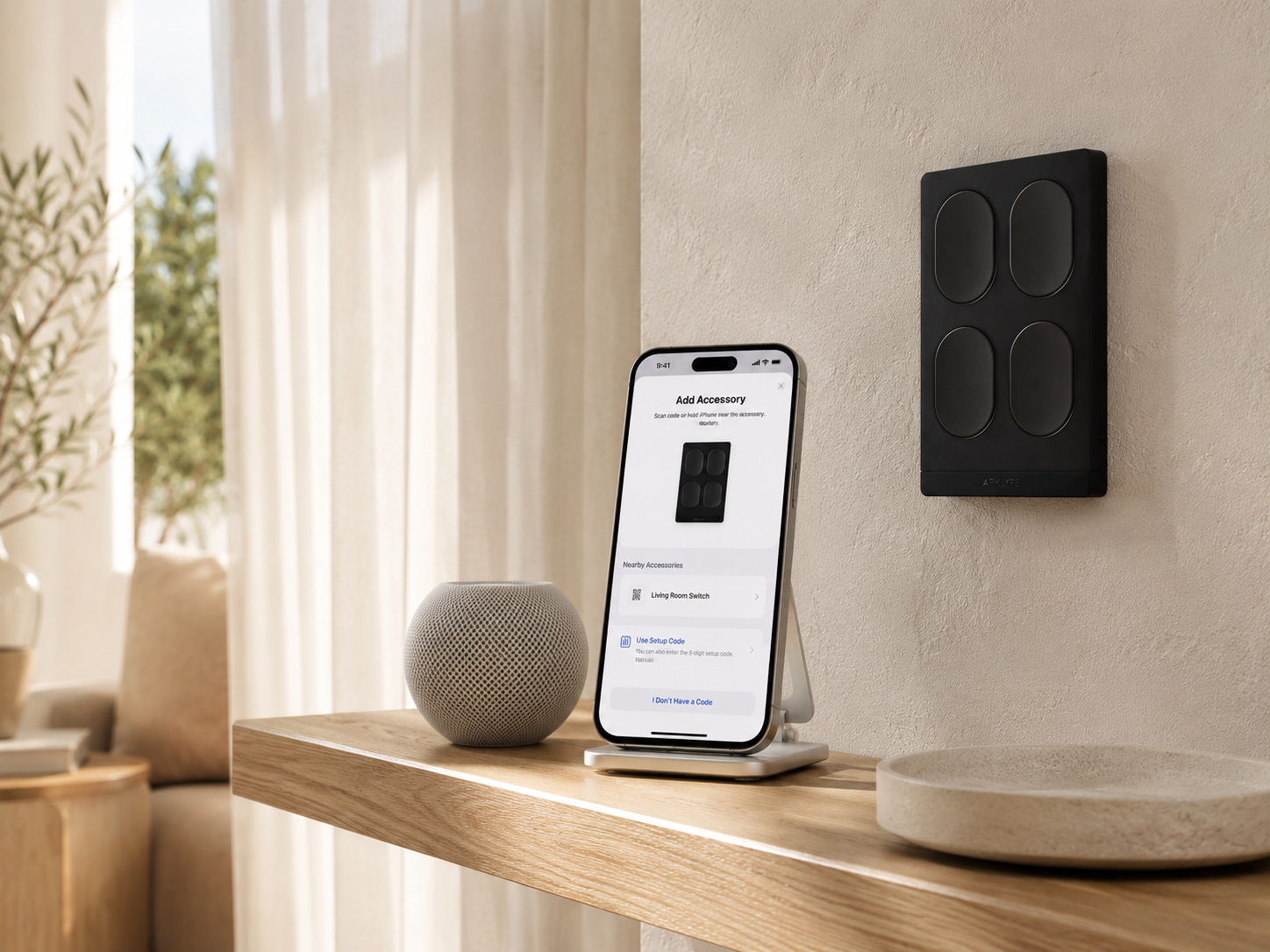
How to Set Up Apple Home with Matter over Thread (Step-by-Step for Australian Homes)
- by Arklyfe Team

Short answer for Australian Apple Home users: to pair a Matter over Thread device with Apple Home in Australia you need three things: an iPhone or iPad on iOS 16.2 or later, a Thread Border Router already on your Wi-Fi network (HomePod mini, HomePod 2nd gen, or Apple TV 4K 2nd gen or later), and the Matter pairing QR code printed on your device or in its quick-start guide. Open the Apple Home app, tap the + button, choose Add Accessory, scan the QR code, confirm the room, and the device is online in under 60 seconds. The whole setup takes about 10 minutes including unboxing. Below is the full step-by-step walkthrough we use when commissioning Arklyfe StellarTrack Matter switches for Melbourne customers.
| Requirement | Why | Cheapest path |
|---|---|---|
| iPhone/iPad on iOS 16.2+ | Matter requires Home framework v3+ | Free iOS update |
| A Home Hub | To run automations when you're away | HomePod mini AU$149 |
| A Thread Border Router | To route Thread traffic onto Wi-Fi | Same HomePod mini ✓ |
| Apple ID with Home set up | All devices live under one Home | Free |
| Stable 2.4 GHz Wi-Fi | Thread commissioning uses Wi-Fi briefly | Existing router |
| The Matter QR code | Each device has a unique 11-digit pairing code | On the device |
The HomePod mini (AU$149) is the most affordable device that acts as both a Home Hub and a Thread Border Router. If you already own one, an Apple TV 4K (2nd gen or later), or a HomePod 2nd gen, you are ready.
Open the Home app → tap the house icon (top-left) → Home Settings → tap your home name → scroll to Hubs & Bridges. You should see at least one device listed as "Connected" and "Thread Network: Active." If you do not see Thread, your hub is either too old or not yet on iOS/tvOS 16.2+.
Quick fix: plug in a HomePod mini, run through its first-time setup in the Home app, and Thread will appear automatically within two minutes.
⚠️ In Australia, any mains-wired installation must be performed by a licensed electrician. This is not optional. DIY mains work is illegal outside the ACT for non-licensed homeowners and voids insurance.
For Arklyfe StellarTrack switches: 1. Isolate the circuit at the switchboard 2. Confirm dead with a contact-voltage tester 3. Wire active (red), neutral (black) and earth (green/yellow) to the marked terminals 4. Mount to the 84 mm AU mounting plate 5. Restore power. The LED indicator should pulse slowly, meaning "ready to pair"
If you need help, Arklyfe's installation service covers metropolitan Melbourne and major Victorian regional centres.

If the QR code is damaged or the device is already mounted in a deep box, tap More options → Enter setup code manually and type the 11-digit numeric code from the packaging.

The whole point of Matter is multi-admin. To confirm:
A single device can be controlled by up to five Matter controllers simultaneously. This is the killer feature that Zigbee and Z-Wave do not have. See our Matter vs Zigbee vs Z-Wave guide for the full comparison.
Open Home → Automation tab → + → choose a trigger:
Thread devices respond in 50–150 ms, fast enough that scenes feel instant.
"Accessory Not Found" during QR scan. Make sure your iPhone is on the same 2.4 GHz Wi-Fi as the HomePod, not the 5 GHz band. Commissioning briefly uses Wi-Fi before handing off to Thread.
"No response" after pairing. Check the Home app → Home Settings → Hubs & Bridges. If only one Thread Border Router is listed and it's far from the switch, add a second HomePod mini at the opposite end of the home. Thread mesh strengthens with every border router.
Device shows "Updating…" forever. Force-quit Home app, wait 30 seconds, reopen. Matter firmware updates can take 5–10 minutes the first time.
Switch flickers or LED is dim. The neutral wire is missing or wrongly terminated. Stop using the switch and have your electrician re-check the wiring. Most pre-2000 Australian homes lack a neutral at the switch box.
The same Matter QR code pairs identically with Google Home, Amazon Alexa and SmartThings. The flow is virtually the same: open the app, tap +, scan the code. You can also start in Google Home and later add Apple Home as a second controller without removing the device. This is the single biggest reason Matter is replacing Zigbee in 2026.
1. Do I need an Apple TV or HomePod to use Matter switches? You need one Thread Border Router somewhere in the home for Thread devices. HomePod mini is the cheapest option at AU$149. Wi-Fi Matter devices don't need a border router but use more power.
2. Can I pair the same Matter device with both Apple Home and Google Home? Yes. After pairing in one ecosystem, open the device settings, tap "Turn on Pairing Mode" or "Add to Other Ecosystem," generate a new code, then scan it from the second app.
3. What happens if my internet drops? Local control still works. Thread mesh and HomePod Home Hubs run automations locally. Only remote-from-outside-home control needs internet.
4. How many Matter devices can one Apple Home support? Apple Home supports up to 300 accessories per home. A Thread network can handle ~250 nodes per border router, and adding more border routers expands capacity further.
5. Are Arklyfe Matter switches certified for Apple Home in Australia? Yes, every StellarTrack switch is Matter 1.4 certified, Apple Home compatible, and SAA-certified for Australian mains. Browse the full range in our smart switches collection or talk to us about an end-to-end smart home solution.
Last updated: 2026-05-26. Arklyfe is a Melbourne-based smart home retailer specialising in Matter over Thread devices for Apple Home, Google Home, Alexa and SmartThings.
Matter over Thread Smart Switches in Australia: 2026 Buyer's Guide
Clipsal vs Matter Smart Switches: An Honest Comparison for Australian Homes
Smart Light Switches in Australia: The Complete Guide
Share:
SAA-Certified Smart Switches in Australia: Why Certification Matters Before You Buy
Smart Home Cost in Australia 2026: Full Pricing Breakdown (AU$500 to AU$20,000)