- by Arklyfe Smart Home Team
Smart Light Switches in Australia: The Complete Guide
- by Arklyfe Smart Home Team
By the Arklyfe Smart Home Team, Australia's specialists in Matter over Thread smart home devices.
If you've ever wanted to turn off every light in the house without getting out of bed, smart light switches are the upgrade you're looking for.
This guide covers everything Australian homeowners need to know about smart light switches: how they work, the different types available, what SAA certification means for safety, which rooms to upgrade first, what installation actually costs in Australia, and how to choose the right switch for your home.
A smart light switch is a wall switch that replaces a standard light switch and connects your home's lights to a wireless network, allowing control via a smartphone app, voice assistant, or automated schedule, from anywhere in the world.
Unlike smart bulbs, a smart switch works with your existing globes and light fittings. You replace the switch plate, not the bulb. That makes them a particularly practical upgrade for Australian homes where recessed downlights, ceiling fans, and fixed fittings are common.
Smart light switches in Australia must be SAA certified to meet Australian electrical safety standards (AS/NZS), and must be installed by a licensed electrician in every state and territory.

Smart home switches do more than save you the walk to the wall. Here's what Australian homeowners actually use them for:
Convenience and control: Control every light in your home from a single app, or group rooms together for one-tap scenes.
Energy savings: Schedule lights to turn off automatically when no one's home. Lights left on in empty rooms are one of the easiest waste costs to cut with smart scheduling.
Security: Randomise lights while you're on holiday to simulate occupancy. Pair with motion sensors for automatic deterrence.
Resale value and renovation appeal: Smart home features are increasingly a selling point in the Australian property market.
Accessibility: For older Australians or those with limited mobility, voice-controlled lights make daily life meaningfully easier.
Not all smart switches use the same wireless technology. The protocol you choose affects reliability, range, and long-term compatibility. In 2026, three main types are available in Australia.

| Protocol | Hub required | Works with Apple Home | Works with Google Home | Internet needed for local control |
|---|---|---|---|---|
| Wi-Fi | No | Via HomeKit bridges | Yes | Depends on the device and control path |
| Zigbee | Yes (brand-specific) | Via bridge only | Via hub | Check the hub and the function being used |
| Matter over Thread | Compatible Matter controller and Thread border router | Native | Native | No for local Matter control; required equipment must remain powered and connected |
Wi-Fi switches connect directly to your home router, no extra hub required, making them the easiest entry point.
Pros: Simple setup, no hub, widely available
Cons: Needs a working router; cloud-dependent controls also need internet, while local control depends on the device and platform; can slow your network at scale; compatibility varies across brands
Wi-Fi switches suit one or two lights. They become less reliable as the number of devices grows.
Zigbee is a low-power mesh protocol used by brands including Clipsal Wiser and Deta's smart range. Devices form a self-strengthening mesh network around your home.
Pros: Low power, mesh networking, reliable for larger installations
Cons: Requires a dedicated Zigbee hub; limited cross-brand interoperability; Apple Home requires a compatible bridge
Zigbee has been the dominant AU smart switch protocol for several years, but the Matter standard is rapidly changing that picture.
Matter is the universal smart home connectivity standard, launched in 2022 and backed by Apple, Google, Amazon, and Samsung. It enables devices from different brands to work together natively. Thread provides a low-power mesh network for Matter devices; Matter also works over Wi-Fi and Ethernet. Learn more at the CSA Alliance
Local Matter commands can stay within your home network. The Matter controller handles device control, while the Thread border router connects the Thread mesh to the rest of that network; one hub may provide both functions. Required equipment must remain powered and connected.
Key advantages for Australian homeowners:
Arklyfe is an Australian smart home brand specialising in Matter over Thread switches. The StellarTrack range was built from the ground up for the Matter standard, and it is approved for Australian mains under certificate GMA-528353-EA. For a complete 2026 buyer's guide to Matter over Thread switches in Australia, including Thread border router setup, Matter 1.4 compatibility, and platform-by-platform commissioning, read our Matter over Thread Smart Switches in Australia: 2026 Buyer's Guide.
For a deeper comparison of every major smart home protocol in Australia, see our Matter vs Zigbee vs Z-Wave: Which Protocol Wins in 2026 guide.
SAA certification (the industry name for Australian electrical safety approval) confirms that an electrical product has been independently tested to AS/NZS safety standards for Australian conditions: 230V/50Hz voltage, local wiring configurations, and fire safety. About the Regulatory Compliance Mark, ERAC
Uncertified switches, many sold cheaply online, have not been tested for Australian voltage or wiring. Installing an uncertified product may void your home insurance and creates genuine safety risk.
Always verify the SAA mark or Regulatory Compliance Mark (RCM) before purchasing. The StellarTrack Matter smart switch is approved under certificate GMA-528353-EA. For a complete explanation of what SAA certification means in Australia and how to verify a switch is genuinely certified before you buy, read our SAA-certified smart switches guide.
Many smart switches require a neutral wire at the switch location. In older Australian homes, generally anything wired before the early 2000s, neutral wires are not always run to the switch box. Only the active (live) wire is present, while the neutral is connected directly at the light fitting.
Check for a neutral wire before you buy: ask a licensed electrician to inspect the switch position and confirm the wiring and compatibility of your selected switch. Do not remove the wall plate or identify conductors by colour yourself. Arklyfe StellarTrack switches require a neutral wire at the switch.
You have three options:
If you're renovating multiple rooms, ask the electrician to run neutrals to every switch position while the wall is open. The marginal cost is low and it future-proofs you for every smart-switch generation that follows.
Australian homes use single-gang (1 button), double-gang (2 buttons), and four-gang switch plates. StellarTrack switches are available in 1, 2, 4, 6 and 8-button layouts.
Compatible Matter switches can be added to supported smart-home platforms. For Matter over Thread, check the compatible Matter controller and Thread border router for your chosen setup. Sharing a device with another platform requires Matter multi-admin configuration.
Choose a brand with Australian support and a local warranty.
Two common smart switch choices in Australia in 2026 are Clipsal Wiser (Schneider Electric, Zigbee 3.0, closed Wiser-app ecosystem) and Matter over Thread (open standard, native Apple Home / Google Home / Alexa / SmartThings, available through brands including Arklyfe StellarTrack). Matter switches typically cost less per gang, work with every major platform on day one, and don't require a proprietary hub. Clipsal Wiser still makes sense for all-Schneider fit-outs and Clipsal-certified installers.
For the full 7-dimension comparison, covering wireless protocol, ecosystem support, wiring, future-proofing, AU certification, installer cost and retrofit-friendliness, with a real 12-switch cost breakdown, read our dedicated guide: Clipsal vs Matter Smart Switches: An Honest Comparison for Australian Homes →
If you're upgrading gradually rather than wiring an entire home in one go, the order you install switches matters. High-traffic rooms deliver dramatically more value per dollar than rarely-used ones. Here's how Australian homeowners typically prioritise, and what to specify in each room.
Entry & hallway: The first switch you touch coming home and the last one you turn off at night. Best return on smart investment in the whole house.
Lounge / family room: High traffic, multiple lighting zones (downlights + lamps + LED strip), and the room where you most want scene control.
Master bedroom: Smart switches at the bed pay off every single night.
Kitchen: High traffic but already has plenty of task lighting and people rarely sit down. Smart switches here are nice-to-have, not need-to-have.
Kids' rooms: Smart switches help with bedtime routines and gradually-dimming wind-down lighting.
Study / home office: One switch usually does it; consider colour-temperature-tuneable smart globes paired with a smart switch for circadian lighting through the working day.
Bathroom & laundry: Generally low priority. Motion-sensor exhaust fan integration can be useful in bathrooms; otherwise a regular switch is fine. Specify IP-rated wiring boxes if your installer flags moisture concerns.
Outdoor & garage: Smart switches in outdoor circuits enable real security automation: lights on at dusk, off at midnight, motion-triggered floodlights, holiday randomisation.
A typical staged upgrade lands roughly at:
For the full staged smart-home upgrade plan beyond switches, curtain motors, sensors, locks, lighting and security, see our Smart Home Cost in Australia 2026 guide.
For most Australian homeowners renovating or building new: yes, unequivocally.
Arklyfe StellarTrack Matter switches start at $46 per switch (1-button, plastic panel), with glass, wood and metal panels and up to 8 buttons costing more, compared to $10–30 for a standard switch. Over the life of a home, the convenience, energy savings, and security benefits comfortably outweigh the upfront difference.
Where to start: Focus on Tier 1 rooms first, entry, lounge and master bedroom deliver the highest daily return on investment.
Smart switch pricing in Australia 2026 has three components: the switch hardware, any required hub or Thread border router, and licensed electrician install labour. Here's how that breaks down at retail.
| Switch Type | Typical AU retail (per switch) | Notes |
|---|---|---|
| Traditional (non-smart) switch | $10–$30 | Baseline reference |
| Wi-Fi smart switch (entry) | $35–$75 | No hub required; varies wildly by brand |
| Zigbee smart switch (Clipsal Wiser) | Varies by range | Needs the Wiser Hub; get a current quote |
| Matter over Thread switch (StellarTrack) | $46–$249 | 1-button plastic to 8-button metal. No proprietary hub. |
| StellarTrack with built-in light & sensor | $109–$310 | Built-in light and sensor; 1-button plastic to 8-button metal |
A typical Australian smart-home retrofit replaces 10–25 switches depending on layout. These numbers assume Matter over Thread switches from the Arklyfe StellarTrack range and exclude install labour.
| Home Size | Switch count | StellarTrack hardware (1–4 buttons, plastic to glass) |
|---|---|---|
| 1-bedroom apartment | ~8 switches | $370–$1,030 |
| 2-bedroom apartment / unit | ~12 switches | $550–$1,550 |
| 3-bedroom house | ~18 switches | $830–$2,320 |
| 4-bedroom house | ~25 switches | $1,150–$3,230 |
| Architect-led 5-bed luxury build | 40+ switches | $1,840+ |
In Australia, every smart switch must be installed by a licensed electrician, this is mandated electrical safety legislation in every state and territory. Melbourne electricians typically charge $120–$250 to install or replace a light switch (Home Upkeep, 2026), and usually less per switch when a whole home is done in one visit. Running a new neutral wire adds time, so get a written quote.
For a full whole-home cost breakdown across the wider Arklyfe smart-home range, including curtain motors, sensors, locks and lighting, see our Smart Home Cost in Australia 2026 guide.

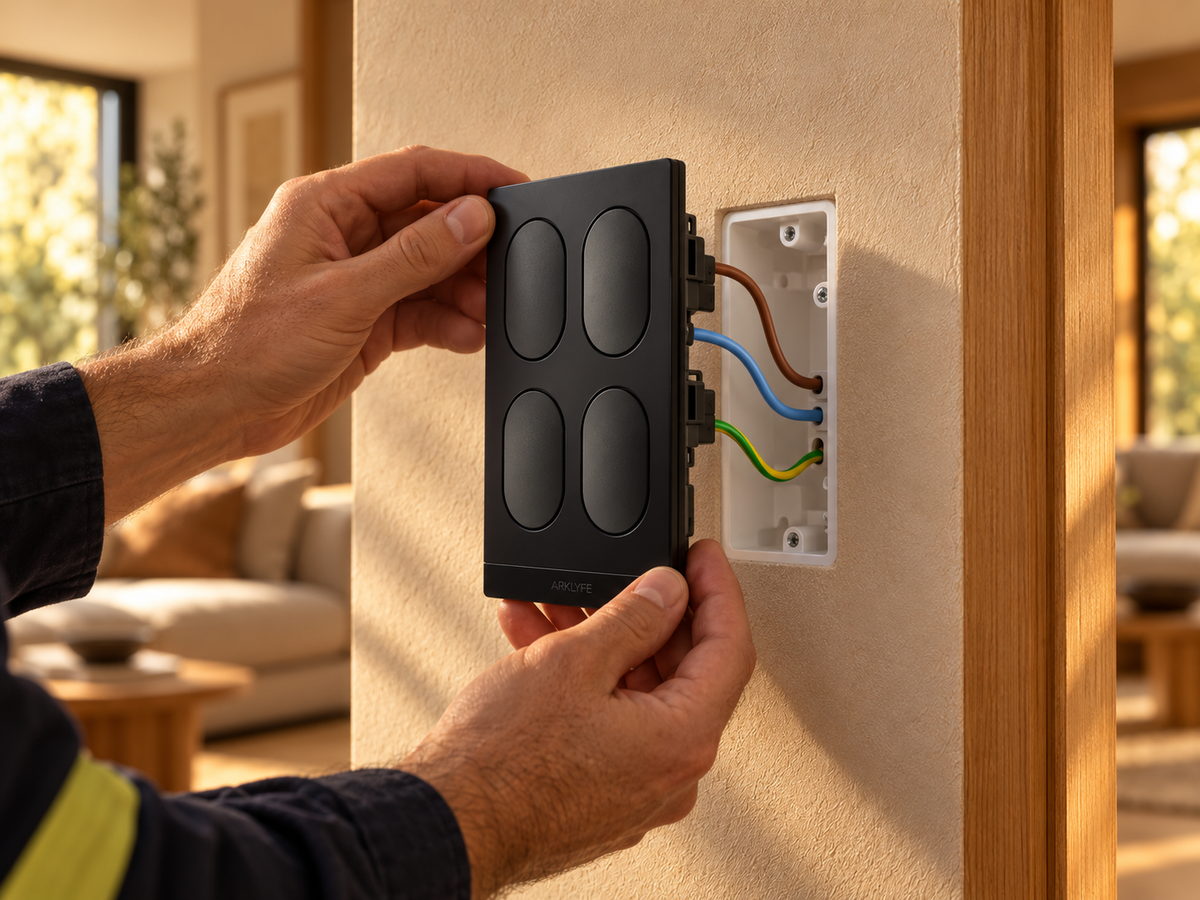
In Australia, all electrical work behind the wall plate must be performed by a licensed electrician. This is a legal requirement in every state and territory, not optional.
Matter switch pairing is straightforward: most models use a QR code scan to add the switch directly to your chosen smart home app in under a minute. For an Apple Home-specific step-by-step walkthrough including Thread Border Router setup and troubleshooting, see our Apple Home Matter setup guide.
Local Matter control can continue without internet if all required equipment and the local network remain powered and connected. Remote access and cloud-dependent features need internet; automation behaviour depends on the platform and devices. Confirm the functions you need on the installed setup. A power cut is a separate failure.
Use our Matter internet-outage handover checklist to record what works on your setup. For the underlying roles, see the CSA Matter FAQ, Thread Group border router guide, and Google's Matter setup guidance.
Yes, smart switches control the circuit at the wall and work with any globe type, including LED, halogen, and fluorescent fittings.
Arklyfe StellarTrack switches need a neutral at the switch. Ask a licensed electrician to confirm a switch specifically designed for the wiring and load at that location. Any bypass component must be supported by the selected model and installed as instructed by the manufacturer.
Supported Matter switches can work with compatible Apple Home, Google Home, Amazon Alexa and SmartThings setups. StellarTrack uses Matter over Thread, so check the compatible Matter controller and Thread border router requirements. Sharing with additional platforms requires Matter multi-admin configuration, and available controls depend on the platform and selected model.
SAA-certified smart switches meet Australian electrical safety standards (AS/NZS) and are tested for Australian voltage (230V/50Hz).
Yes, in every Australian state and territory, connecting any device to mains wiring is licensed electrical work and must be performed by a registered electrician. DIY mains wiring is illegal and can put your home insurance at risk.
SAA-certified Matter over Thread smart switches in Australia start at about $46 for a 1-button StellarTrack with a plastic panel; glass, wood and metal panels, more buttons or a built-in light and sensor cost more. Clipsal Wiser (Zigbee) pricing varies by range and also needs the Wiser Hub. Add licensed installation: Melbourne electricians typically charge $120–$250 per light switch, less per switch for a whole-home job.
For most 3-bedroom homes that are being renovated or built new in 2026, yes. A whole-home Matter over Thread install for a 3-bedroom house needs about 18 switches, which is $830–$2,320 in StellarTrack hardware (plastic to glass panels) plus licensed installation. Scheduling, scenes, voice control and security lighting are the main reasons renovators include them.
Not directly. Clipsal Wiser switches use Zigbee, so they reach Apple Home through the Wiser Hub (2nd generation) acting as a Matter bridge, for compatible devices. For the full Clipsal vs Matter side-by-side covering ecosystem, cost and AU certification, read our dedicated Clipsal vs Matter comparison guide.
Start with high-traffic rooms, entry, lounge and master bedroom, for the highest daily return on investment. Tier 2 covers kitchen, kids' rooms and study; Tier 3 covers bathroom, laundry, outdoor and garage. A typical 3-bedroom Australian home lands at 10–15 switches over a 6–12 month staged upgrade.
Smart light switches are one of the highest-impact upgrades you can make to an Australian home, practical, future-proof, and useful every day.
The Arklyfe StellarTrack range is built specifically for Australian homes: SAA approved (GMA-528353-EA), Matter over Thread, 1, 2, 4, 6 and 8-button layouts, and native compatibility with every major smart home platform.
Explore the StellarTrack Smart Switch Range
Smart living, made for Australia.
Do Smart Light Switches Need a Neutral Wire in Australia?
Short answer: most smart switches, including Arklyfe StellarTrack, need a neutral at the switch, which many older Australian homes lack. Options: have an electrician run a neutral, choose a no-neutral switch, or use smart bulbs or a relay at the light.
Can Everyone in Your Home Use the Smart Lights?
Buying smart switches? Check wall controls, household app permissions and shared access so everyone can use the lights without sharing your login.
Can You Use Smart Bulbs with Smart Switches?
A smart bulb needs power to receive commands. Learn when a smart wall switch helps, when it cuts the bulb off, and what to confirm before buying both.
Share:
KNX vs Matter: Which Smart Home System Is Right for Your Australian Build in 2026?
Clipsal vs Matter Smart Switches: An Honest Comparison for Australian Homes